The App Download Question: What's Actually on Offer
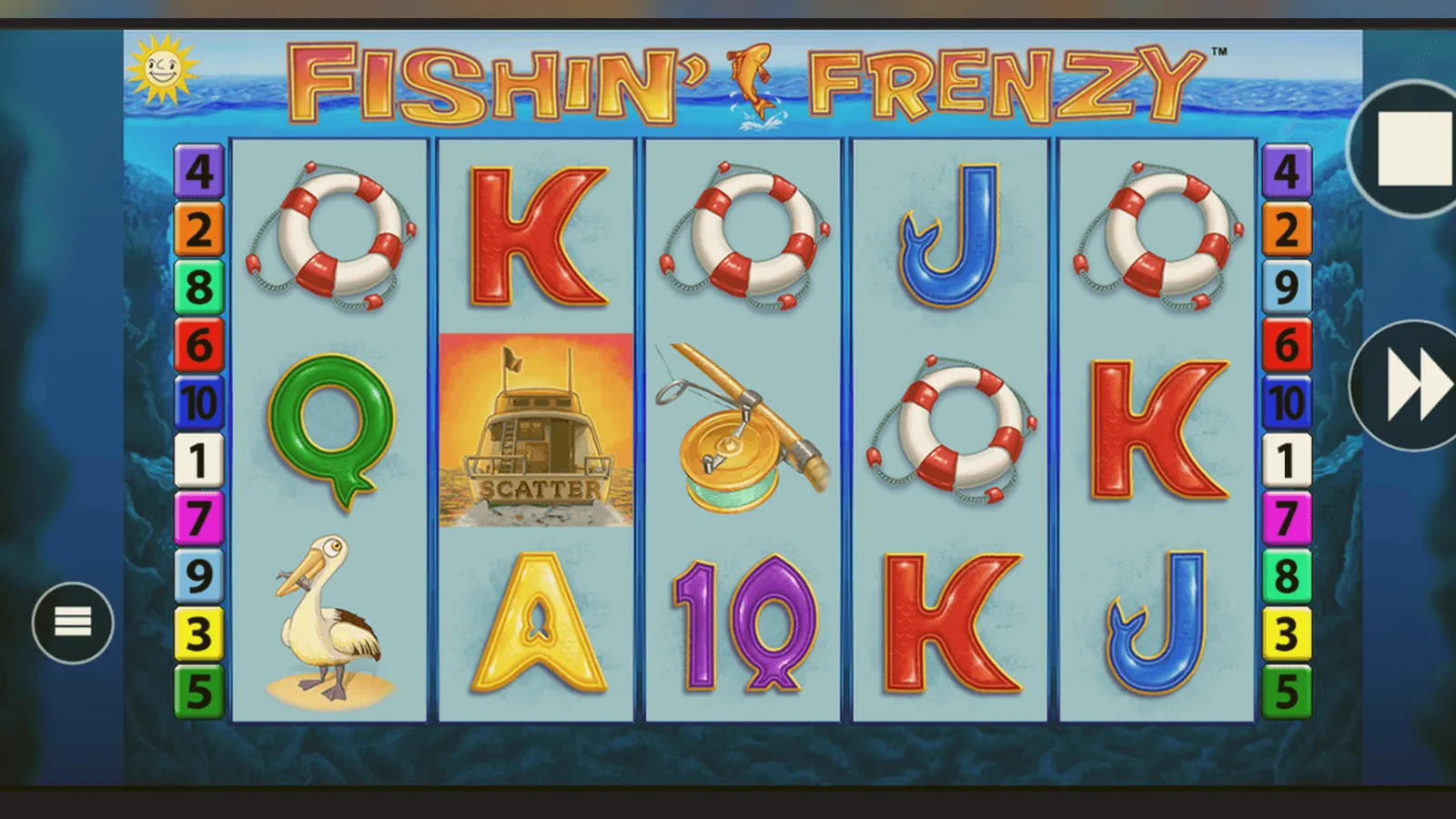
Here's what this page won't do: pretend every download is safe, or that an app somehow changes your odds. What it will do is walk through the actual install routes — browser shortcut, operator app, APK file — and flag where things go wrong.
Fishin Frenzy runs in a browser. It doesn't need an app. But operators bundle their casinos into Android and iOS apps, and plenty of players want the icon on the home screen. The trade-off is permissions, storage, and — if you stray outside the official stores — a real risk of malware dressed up as a fishing game.
What the Listing Claims
If you find Fishin Frenzy in an operator's app on Google Play or the App Store, the listing will look like any other mobile casino. Here's a typical card, with plausible numbers from a mid-tier UKGC-licensed operator:
The game itself — the fishing boat, the reels, the free spins — sits inside this shell. The app is the casino lobby, account menu, payment flow, and responsible-gambling tools. Fishin Frenzy is one tile among hundreds.
Five Screens You'll Actually See
Most casino apps follow the same layout. Here's what you'll navigate before you reach the reels:
- Login or sign-up screen: email, password, age checkbox. The UKGC requires age verification before you deposit, so expect a follow-up request for ID documents.
- Lobby: search bar, category filters (slots, live, jackpot), a banner carousel, and a grid of game tiles. Fishin Frenzy usually appears in the «Popular Slots» or «Blueprint» sections.
- Game launch: tap the tile, the screen goes full-width, and the HTML5 build loads. Portrait or landscape, your choice. The bet buttons, autoplay, and paytable sit inside the game frame.
- Account menu: balance, deposit and withdrawal buttons, transaction history, and the responsible-gambling settings — deposit limits, time-outs, GAMSTOP link, and session reminders.
- Payment screen: choose debit card, PayPal, Apple Pay, or Open Banking. Enter the amount (£10.00 minimum at most sites), confirm. The money appears in your casino balance within seconds, or up to a few minutes for bank transfers.
That's the routine path. The app doesn't add features to the game itself — same RTP, same volatility, same £5 stake cap (or £2 if you're 18–24). It's a wrapper for the mobile site, optimised for thumb navigation.
Four Install Paths and the Risk Attached to Each
There are four ways to get Fishin Frenzy on your phone. Two are safe, one is inconvenient but harmless, and one is a minefield.
- Browser shortcut (safest, zero install): Open the operator's mobile site in Safari or Chrome, navigate to Fishin Frenzy, tap the share icon, select «Add to Home Screen». The icon appears on your home screen; tapping it opens the game in the browser. No permissions, no storage footprint beyond cache, and you can delete it by long-pressing and choosing «Remove». This is the route if you don't trust apps or want to avoid the App Store login.
- Official operator app from Google Play or App Store (safe, standard): Search for the operator by name — match it to the UKGC register first — download the app, install. The store vets every update, the app can't request dangerous permissions without review, and uninstalling is clean. Risk: only that you're handing over device info (OS version, IP, advertising ID) and granting notifications. Read the permissions list before you tap «Install».
- Web app / progressive web app (safe but rare): Some operators offer a PWA — a hybrid that installs like an app but runs in a sandboxed browser. The icon appears after you visit the site a few times and accept the prompt. It looks native, loads offline assets, but doesn't get the deeper permissions a real app can request. If the operator supports it, this is the middle ground.
- APK file from a third-party site (high risk, avoid): An APK is an Android install package. Downloading one from anywhere except Google Play or the operator's own domain — verified UKGC licence in the footer — is dangerous. Fake clones, repackaged malware, and phishing wrappers are common. The file might install a working casino, then silently harvest your login, card details, or contacts. Even if the operator provides a direct APK link for regions where Google Play restricts gambling apps, check the domain matches the licence and the file signature is current. If in doubt, don't.
What Your Phone Actually Needs
Fishin Frenzy is a 2014 slot that was rebuilt in HTML5 around 2017. The technical bar is low.
- Android: version 7.0 or higher, 2 GB RAM, a browser that supports WebGL (Chrome, Samsung Internet, Firefox).
- iOS: iPhone 6s or later, iOS 12+, Safari or any WebKit-based browser.
- Screen: 4.7 inches minimum; smaller screens crop the UI or force pinch-zoom on the paytable.
- Connection: 3 Mbps steady; the game frame is about 4 MB, but live balance updates and session tracking need a stable link. On flaky 4G, spins can freeze or duplicate if the server doesn't receive the debit acknowledgment.
Storage: if you install an operator app, expect 60–100 MB for the shell, plus cache that grows to 150–200 MB over a month. The browser route uses far less — maybe 10 MB cached assets.
Battery: a 30-minute session in Fishin Frenzy drains about 8–12% on a mid-range phone. Autoplay, animations on, brightness high, and a weak signal will push that toward 15%. The game doesn't hammer the GPU like a 3D title, but the constant server polling and screen-on time add up.
What the App Gives You (and What It Doesn't)
An operator app is a convenience layer. It doesn't change the maths, unlock hidden features, or improve your chances. Here's what it does:
- Faster launch: tap the icon, land in the lobby, one more tap to the game. No typing the URL, no login each time if you enable biometric unlock.
- Push notifications: deposit bonuses, new game releases, responsible-gambling reminders (session time, deposit limit approaching). You can disable these in settings.
- Offline lobby: the app caches the game grid and category filters, so the lobby appears instantly even on a slow connection. The games themselves still need a live link to load.
- Integrated payments: saved card details, Face ID for deposits, one-tap withdrawals to your linked bank. The friction is lower, which is useful — and risky if you're prone to chasing losses.
- Responsible-gambling dashboard: most apps surface your deposit limits, session timers, and self-exclusion options more clearly than the mobile site does. This is the upside of the app: the tools are harder to ignore.
What it doesn't do: bypass the £5 stake cap (or £2 for 18–24 players), skip KYC checks, or let you withdraw before your documents are verified. The UKGC rules apply the same way whether you play in a browser or an app.
Version 3.8.1: What Changed and What It Means
Operator apps update every few weeks. The October 2026 build (version 3.8.1 in this example) introduced:
- Mandatory session reminders at 30 minutes and 60 minutes, with a dismiss button that now logs the action — this is the UKGC's affordability-check prep, rolling out across all licensed operators.
- Faster Payments withdrawal flow redesigned: you can now save your sort code and account number for one-tap withdrawals, with an SMS confirmation code as the second factor.
- Bug fix: game tiles no longer overlap on iPhone 15 Pro Max in landscape (this was breaking the layout for Blueprint and NetEnt slots).
- Updated stake-cap logic: the app now reads your date of birth from the verified account data and applies the £2 cap automatically if you're under 25, with a banner explaining why.
- New responsible-gambling shortcuts on the account screen: GAMSTOP link moved to the top, and a «Take a Break» button that triggers a 24-hour cool-off without needing to dig through settings.
These aren't marketing features. They're compliance updates, designed to slow you down and surface the exit ramps. Whether they work depends on whether you read them before you dismiss them.
Spotting the Fake Clones and Permission Red Flags
Fake casino apps are common, especially when a game like Fishin Frenzy trends. The clones range from harmless ad-farming shells to credential-stealing malware. Here's how to avoid them:
- Check the developer name in the store listing against the operator's UKGC licence entry. The company name on the licence and the name in the app metadata should match. If the listing says «FishFrenzy Games Ltd» or «Casino Master Studio», it's fake.
- Read the recent reviews. Legitimate casino apps have complaints about KYC delays, withdrawal times, and bonus terms. Fake apps have reviews like «great game, easy money, 5 stars» posted in bursts, often with broken English or identical phrasing.
- Compare the file size. A real operator app is 60–100 MB. A clone that's 8 MB or 200 MB is either a scam or bundling a repackaged game with ad libraries.
- Look at the permissions. A real casino app needs: internet, network state (to detect offline mode), storage (for cached assets), and optionally camera (for document upload) and biometric (for Face ID login). It does not need: contacts, SMS, call logs, location (unless you're verifying you're not in a restricted region, and even then it asks once), microphone, or device admin rights. If the APK asks for any of those, delete it.
- Verify the APK signature if you're installing outside the store. Every operator that offers a direct APK publishes a SHA-256 fingerprint on their site. The signature in the file metadata should match. If you don't know how to check this, don't install the APK.
The safest path remains the official store or the operator's mobile site, accessed by typing the URL yourself rather than following a link from a search ad or a third-party review site. Match the domain to the licence number in the UKGC register before you enter any details.
FAQ
Is there an official Fishin Frenzy app just for this game?
No. Blueprint Gaming, the developer, doesn't publish single-game apps. Fishin Frenzy lives inside operator casino apps — the ones you download from Google Play or the App Store — alongside hundreds of other slots. If you see a standalone «Fishin Frenzy» app, it's either a demo clone or a fake.
Do I get better odds or higher RTP in the app versus the browser?
No. The game build is identical. RTP is set by Blueprint at 96.05% for the standard version (lower for some Megaways variants), and the operator can't change it. Whether you play in Safari, Chrome, or an iOS app, the maths stays the same. The app is a wrapper, not a different version of the game.
Can I play for free in the app, or do I have to deposit?
Most UKGC-licensed operators show demo mode only after you log in and pass age verification. A few let you try games without an account, but that's rare now — the regulator tightened the rules around underage exposure. If you want to test Fishin Frenzy risk-free, log in, find the game, and look for a «Play for Fun» or «Demo» toggle before you load it.
Why do some apps ask for my location even though I'm in the UK?
Geolocation checks are more common in jurisdictions with state-level licensing (like the US), but a few UK operators use it to confirm you're not accessing the site from a restricted country. The app asks once, logs your region, and doesn't track your movements. If it asks every time you open the app, that's unusual — check the permissions list and consider uninstalling.
I installed an APK from a forum. Now my phone is slow and I'm getting spam texts. What happened?
You installed malware. Uninstall the app immediately, run a scan with a reputable mobile antivirus (Malwarebytes, Bitdefender), and change your passwords — starting with your email and any casino accounts. If you entered card details into the fake app, contact your bank and request a new card. Then register with GAMSTOP if impulsive installs are a pattern; it'll block every UKGC-licensed site for six months to five years, giving you distance from the urge.
The app shows a balance in pounds, but I deposited in euros. Which is correct?
If you're playing on a UKGC-licensed site, your account currency is GBP. If the app briefly showed euros, it's a display bug (common after operator mergers when legacy code from a European platform bleeds through). Check your transaction history on the desktop site — the actual debits and credits should all be in pounds. If they're not, contact support and ask for a manual currency-reconciliation statement before you deposit again.